Knowledge Base
How can we help you?
Search our documentation or browse categories below.
Forgot Password or Changing Password for Non Admin user
Changing Password for Non Admin User from Admin Account
NOTE: All users including admin can change password from Log in screen. However, only Admin is able to change password for other users from user management page.
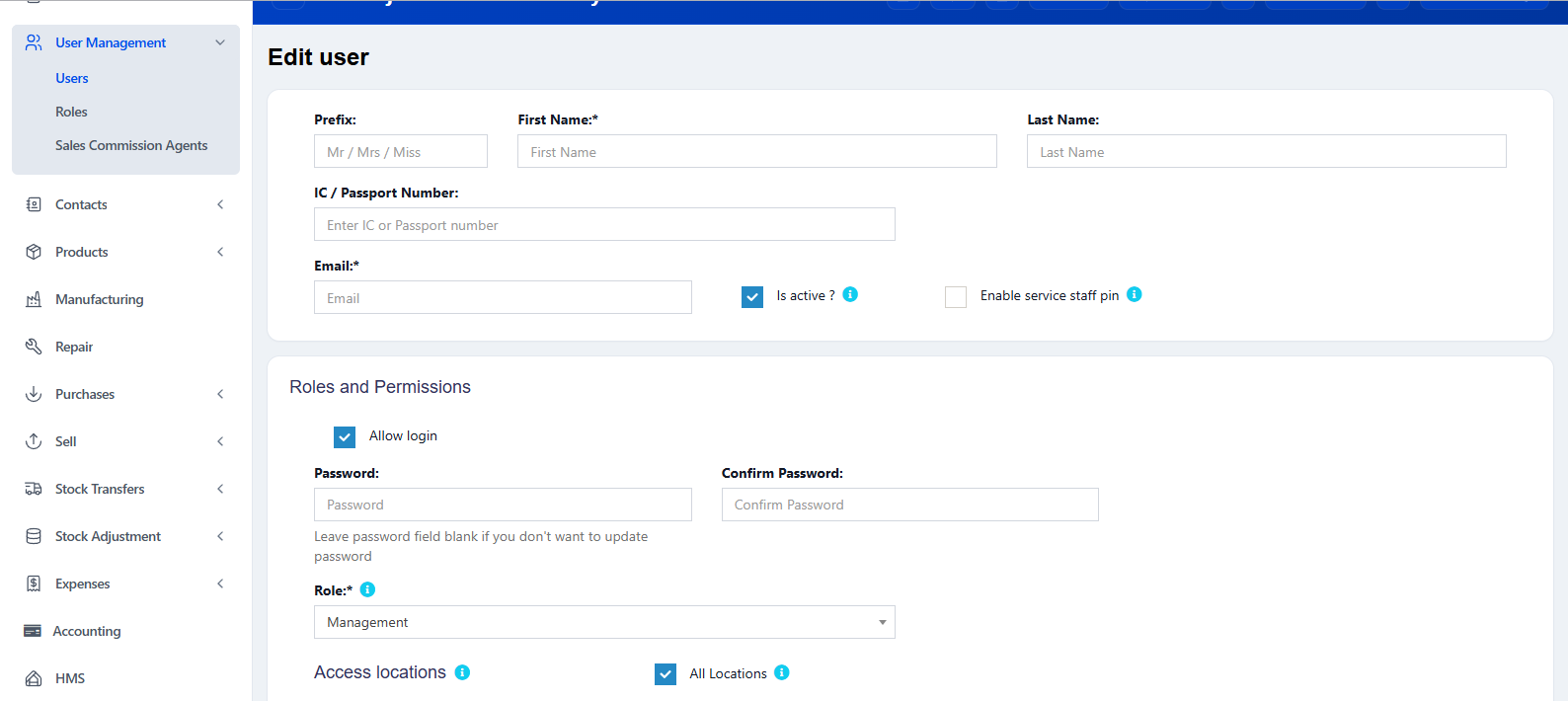
- Admin can go to User Management -> User -> Roles and Permissions.
- In the password and confirm password field add in NEW password.
- Click on Update.
Forgot Password
NOTE: All users are able to change password from Log In screen.
- Go to Log In page and Click on "Forgot Your Password?"
- Enter your E-Mail Address and click on "Send Password Reset Link".
- An email will be sent to you. Click on the link provided.
- Add in new password and confirm password.